


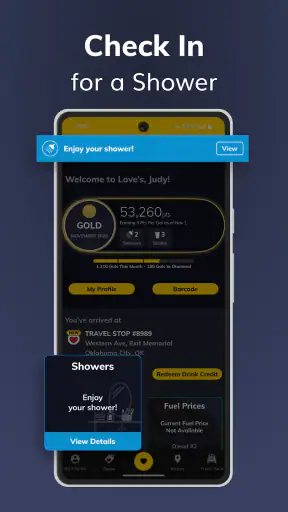
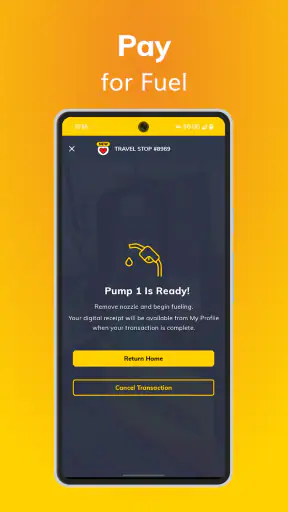
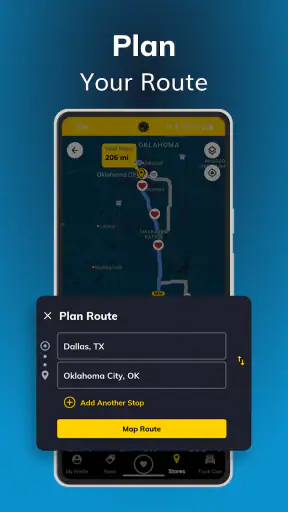
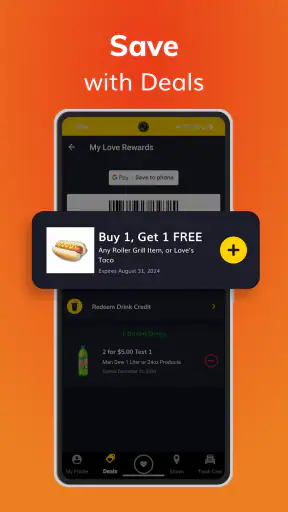
When I use a travel-stop app, I am usually not looking for entertainment or a complicated shopping experience. I want to answer a practical question quickly: where is the next Love’s location, and how do I get there without interrupting the trip? Love’s Rewards is built around that simple need. It is a free shopping app from Love's Travel Stops and Country Stores, Inc., aimed at drivers who already use Love’s locations or want a more direct way to find one.
My overall impression is that it works best as a focused companion for road travel rather than as a universal navigation replacement. The store summary centers on locating a Love’s travel stop and getting driving directions, and that narrow purpose is also its main strength. Instead of asking a driver to search through a broad map for the right brand, it puts the Love’s network at the center of the experience.
That focus also explains why I would not recommend it to everyone. If your main goal is comparing every fuel station, restaurant, rest area, or roadside service in an unfamiliar region, a general maps app will usually be more useful. If you regularly choose Love’s stops, however, the app can reduce searching and make a familiar part of a long drive easier to manage.
What I would check before relying on it
The right question is whether you need a Love’s-first search
Before installing it, I would decide how often Love’s is already part of my travel routine. Someone who drives professionally, plans trips around established travel stops, or prefers to identify a specific Love’s location has a clear reason to keep this app available. A person who only needs occasional directions may find that their existing map application already covers the same basic task.
The app belongs to the shopping category, but I would think of it more as a travel-stop locator than a conventional shopping app. That distinction matters. You should not approach it expecting a broad marketplace, a product catalog, or the browsing depth of a retail platform. Its value comes from helping you connect a physical Love’s stop with a practical driving decision.
What the ratings tell me about expectations
Love’s Rewards has a 3.6 average from around 37 thousand ratings, with roughly 14 thousand written reviews. I read that as a sign that the app is useful for a meaningful group of drivers but may not feel equally polished or equally necessary to everyone. A middle-range average is not an automatic reason to avoid it, yet it does make me cautious about treating it as a flawless navigation tool.
It has passed the one-million-install mark, which gives it a substantial audience among Android users. The current version is 24.0, so I would install the latest release rather than judge the experience from an old copy left on a phone. The app is free and rated for Everyone, making the entry decision simple: the main investment is your time and whether the app fits your driving habits.
How I would prepare it for a real trip
I would set it up before pulling away, not while driving. The most useful workflow is to open it during a fuel or meal-planning break, identify a suitable Love’s stop, inspect the route information that is available, and then begin navigation before returning to the road. This avoids the common mistake of handling a phone while traffic is moving.
I would also keep a general navigation app available. That is not a criticism of Love’s Rewards; it is a sensible division of labor. The Love’s app can help me choose or locate the brand’s stop, while a broader mapping service may be better for traffic conditions, alternate routes, multi-stop planning, or destinations that are not Love’s locations.
Where the app earns a place on my phone
It cuts through a very specific kind of map clutter
General map searches can return fuel stations, convenience stores, restaurants, repair shops, and unrelated businesses all at once. When I already know that I want a Love’s stop, that broad result can be more distracting than helpful. A dedicated Love’s search gives the brand priority, which is valuable when I am trying to make a quick decision during a long drive.
This is especially useful when a passenger is helping with route planning. One person can look for the next suitable Love’s location while the driver keeps attention on the road. Even when I am traveling alone, I can do the search at a stop and hand the final route to my preferred navigation tool. That small separation between finding the location and driving to it is safer and less stressful than trying to do everything at once.
It fits drivers who plan around predictable stop types
Long-distance driving is easier when stops are intentional. I might need fuel, a break, food, or a place to reset before continuing. Love’s Rewards is most useful when the brand itself is part of that plan. Rather than searching from scratch every time, I can use the app as a brand-specific checkpoint in the journey.
A realistic example would be a driver leaving early for a full day on the highway. Before departure, I would identify a Love’s location along the route that could serve as the first planned break. Later, during that break, I could use the app again to locate another stop farther ahead. The benefit is not that it replaces all trip planning; it is that it makes one recurring decision faster and more consistent.
The focused design can be more useful than a larger feature set
Many travel tools try to do everything: directions, local discovery, reviews, reservations, traffic, prices, and recommendations. That can be helpful, but it can also create extra taps when I only need a Love’s location. The focused nature of Love’s Rewards is a genuine advantage for someone who values a short path from opening the app to identifying a stop.
My practical tip is to use it as a planning layer rather than forcing it to become your only travel tool. Find the Love’s stop here, then use the navigation method you trust for the actual drive. This approach makes the app useful even if your preferred maps service remains the place where you follow turn-by-turn directions.
Who benefits most from the free price
Because the app costs nothing to install, it makes sense for frequent Love’s customers to try it and decide whether its focused search saves them effort. Professional drivers, road-trippers, and families taking long highway journeys are the clearest candidates. A passenger can use it to support the driver, and a trip planner can check locations before the vehicle leaves.
The free price also lowers the risk for occasional users. If you are about to take a route where Love’s stops are likely to matter, installing it for that journey may be reasonable. I would still remove it later if it does not fit my routine; there is no reason to keep a specialized app permanently when a general map already handles my needs better.
Where a different tool may fit better
It is not the best choice for comparing the whole roadside landscape
If I am choosing between many brands, Love’s Rewards is naturally limited by its brand-first purpose. A broad maps app or a fuel-finder category is more appropriate when price, distance, amenities, opening status, or nearby alternatives are the deciding factors. I would not use this app as my only source when traveling through an unfamiliar area and trying to understand every available option.
The same applies to complicated journeys. If I need several stops from different businesses, multiple destinations, or a detailed route with changing conditions, a general navigation platform will usually provide a more complete planning environment. Love’s Rewards can still help locate a Love’s stop, but it should not be expected to replace every other travel utility.
Navigation expectations need to stay realistic
The app’s central promise is location and driving directions, but I would still verify the final route in the navigation tool I normally trust. A dedicated brand app is excellent for answering “which Love’s stop should I consider?” It may be less convenient for answering “what is the fastest route around current congestion?” or “how can I combine this stop with three unrelated destinations?”
That distinction prevents disappointment. I would not judge the app by features that are outside its clear purpose, but I would also not let its presence encourage me to abandon tools that are better at live route management. For me, the best setup is complementary: Love’s Rewards for finding the brand location and a broader map for the wider journey.
The app may feel unnecessary for occasional use
Someone who rarely stops at Love’s may not notice enough benefit to justify another app on the phone. If I only need a location once, searching the brand in an existing map application could be quicker than learning a separate interface. The app becomes more convincing when the same decision comes up repeatedly across road trips or work routes.
I would also avoid opening it while driving simply because the task appears simple. A quick location search can still become distracting when traffic changes or the phone requires extra attention. The safer habit is to plan before departure, ask a passenger to search, or wait until the vehicle is parked.
What the rating suggests about switching expectations
The 3.6 average means I would approach the app as a useful specialist tool, not as a guaranteed improvement over every alternative. Some users may appreciate the brand-specific focus, while others may prefer the familiarity and broader coverage of their existing map app. That difference is important: the app does not need to be perfect for every driver to be worthwhile, but it does need to match the way you travel.
My advice is to test it on a low-pressure trip first. Use it when you already know the general route and can compare the experience with your usual search method. If it helps you find a Love’s stop with less effort, keep it. If it adds another step without improving your planning, there is little reason to change your routine.
What switching really costs
The financial cost is low, but the habit cost is real
There is no purchase price to worry about, and the Everyone age rating makes it accessible for ordinary household use. The bigger cost is attention. Every additional travel app introduces another interface to remember, another place to check, and another decision about which source should control the route.
For a regular Love’s customer, that habit may pay off because the app gives a dedicated path to the locations they already want. For a driver who prefers one all-purpose navigation app, switching may create more friction than value. I would measure success by saved effort during actual trips, not by the number of features visible after installation.
A practical two-app workflow is often the best compromise
I would not frame the choice as Love’s Rewards versus every other app. In practice, the strongest arrangement may be Love’s Rewards alongside a general navigation service. I can use the specialist app to identify a Love’s stop, check that it fits my plan, and then pass the destination into the navigation app I already know.
This workflow is particularly helpful when I am traveling with a passenger. The passenger can handle the brand-specific search and confirm the intended stop, while I keep the navigation screen and road ahead in view. On a solo trip, I would perform both steps only while parked.
How I would decide after a short trial
After using it on a couple of journeys, I would ask three practical questions. Did it help me find the desired Love’s location faster than a general search? Did its directions fit naturally into the way I already navigate? Did I feel less rushed when planning a stop? If the answer is yes to most of these, the app has earned its place.
If the answer is no, I would not force the change simply because it is free. A specialized app is valuable when specialization removes work. When it merely duplicates an existing search, the simpler setup is usually better.
My recommendation for different kinds of drivers
Choose it if Love’s is already part of your route planning
I recommend Love’s Rewards to drivers who deliberately look for Love’s travel stops and want a dedicated way to locate them. Its clearest value is convenience: the app keeps the search centered on the brand instead of making you filter through a larger map. It is also a sensible companion for long-distance trips where planned breaks matter.
I would be especially comfortable recommending it to a passenger helping with navigation, a frequent road traveler, or anyone who wants a lightweight way to begin planning around Love’s locations. The free price makes experimentation easy, and the current 24.0 release is the version I would use when testing it.
Skip it if you need an all-in-one travel planner
I would suggest staying with a general map or travel utility if your priorities are broad comparison, live traffic, complex routes, or discovering many kinds of roadside services. Love’s Rewards is not the right starting point when the brand is only one possibility among many. In that situation, its narrow focus could make your search less flexible.
I would also skip it if you do not expect to visit Love’s locations often. An app earns its place through repeated usefulness, and occasional users may get the same result from a familiar map search without adding another tool.
The bottom line
My final view is positive but specific: Love’s Rewards is best treated as a brand-focused travel-stop locator, not a complete replacement for navigation. It turns a recurring Love’s search into a more direct task, which can be genuinely helpful on long drives. Its 1M-plus installs show that many Android users find a reason to keep it around, while the 3.6 average reminds me to keep expectations practical.
I would install it before a trip if I knew I wanted Love’s stops along the way, test the search while parked, and use my regular navigation tool for the broader route. That combination gives the app a clear job without asking it to do everything. For the driver whose travel habits match that job, it is a useful free companion; for everyone else, the usual map app may remain the simpler choice.


